





PixelStrike Arcade Blaster Set
Bring the arcade home
Aim. Play. Beat Your High Score.
Turn an ordinary wall into an exciting play zone with the PixelStrike Arcade Blaster Set. Set up the projector, grab a blaster, and challenge family or friends to a lively screen-free game session.
Your game night starts here
One Projector. Two Blasters. More Ways to Play.
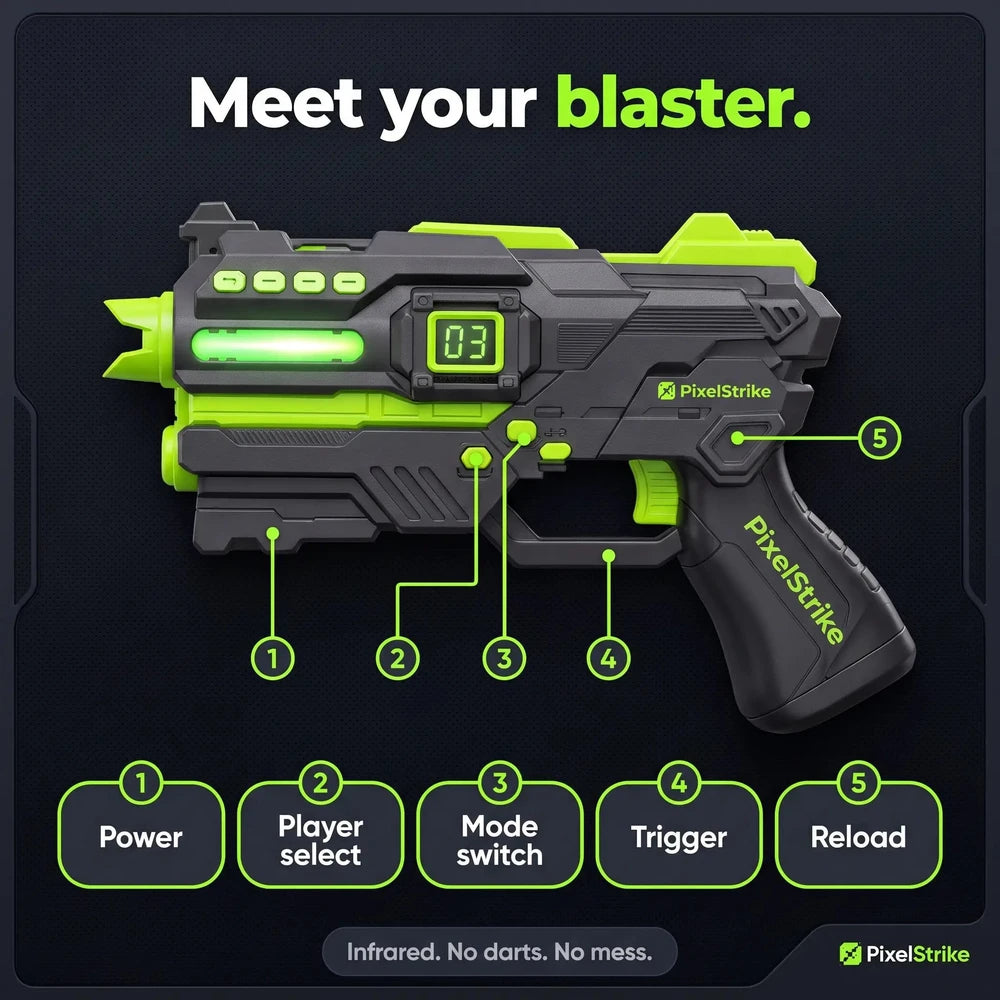
PixelStrike brings the action indoors without foam darts or other physical projectiles flying around the room. Focus on aiming, timing, and friendly competition.
Choose your challenge
Four Worlds. A New Challenge Each Round.
Change the target theme to keep each round feeling fresh. Choose a favorite or take turns trying them all.

Make room for play
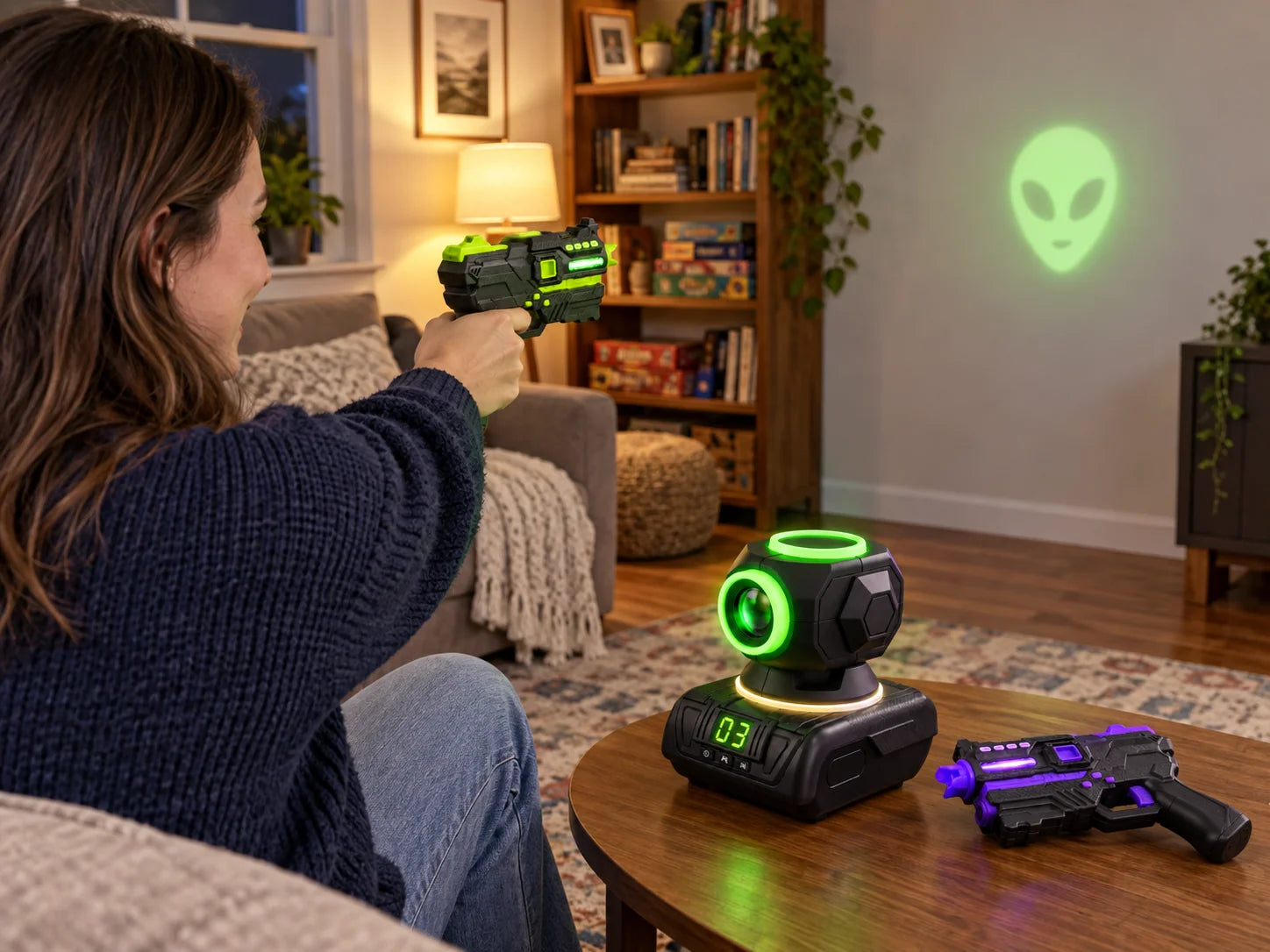
Turn a Suitable Wall Into a Game Zone
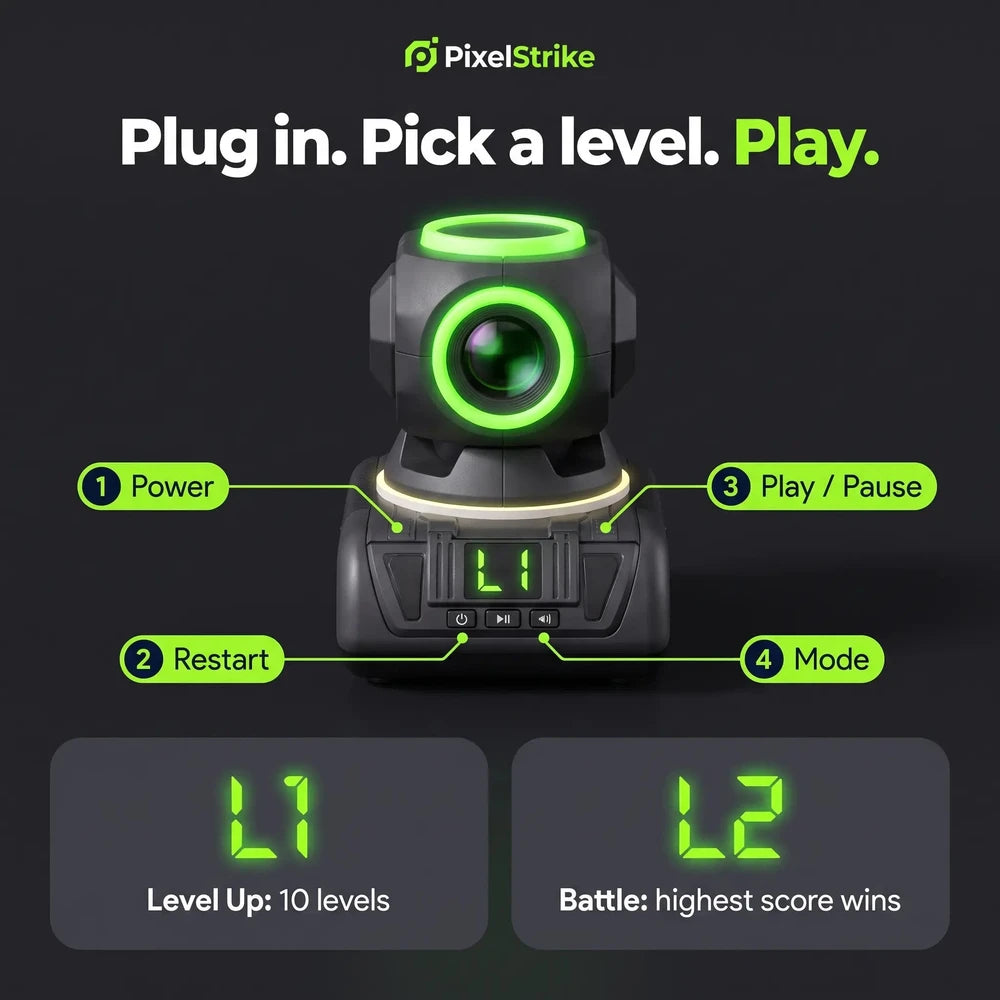
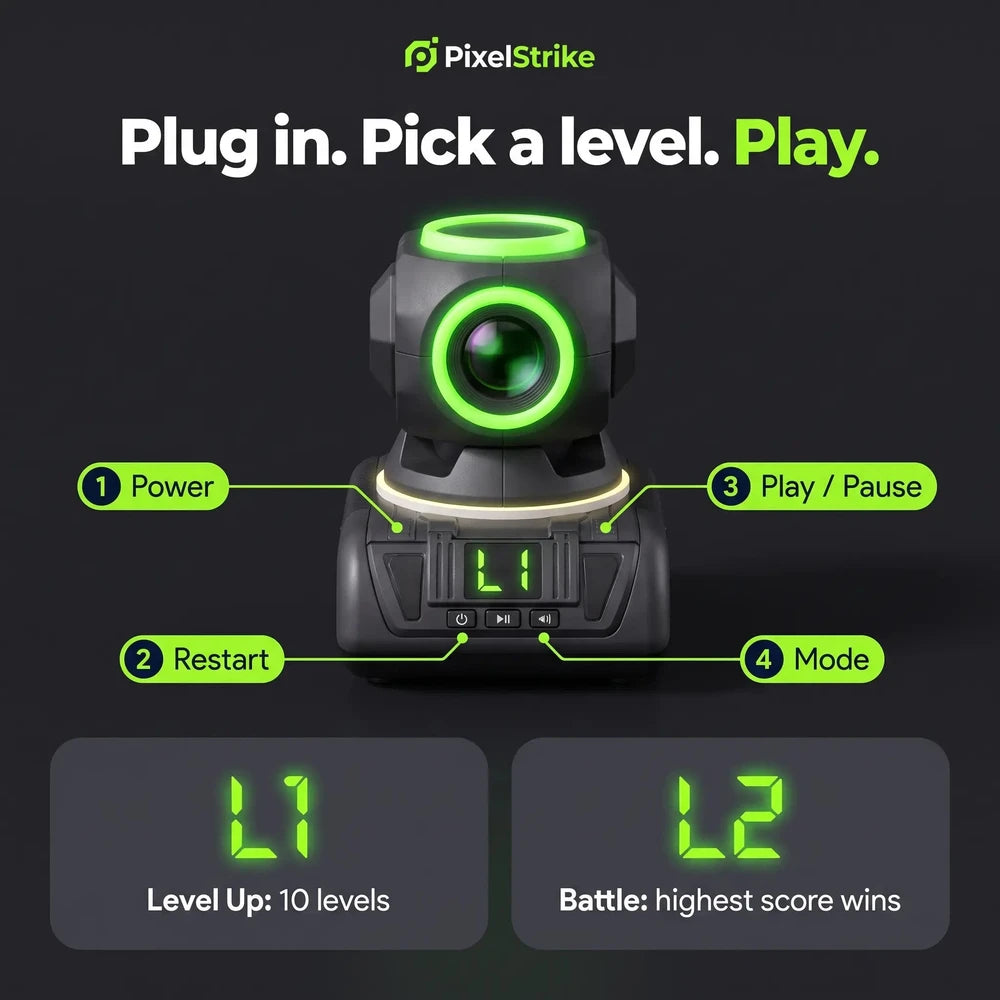
Set the projector on a stable surface and point it toward a suitable wall. The projected targets create a simple play area without needing a dedicated arcade cabinet or a pile of physical game pieces.
Quick to get started
Set It Up. Pick a Mode. Start Playing.
A straightforward setup makes it easy to bring out for family time, weekends, rainy afternoons, or a friendly head-to-head challenge.
Set it on a stable table or level surface, facing a clear wall.
Select a target theme and prepare the blasters according to the instructions.
Aim at the projected targets and enjoy a friendly score challenge.
Play together, move more
A Fun Break From Everyday Screen Time
Bring everyone into the same room for an activity built around aiming, movement, and taking turns. It is a playful option for family game nights and indoor afternoons.
- Shared play: Two blasters make it easy to invite someone into the game.
- Less cleanup: No foam darts or physical projectiles scattered around the room.
- Flexible fun: Bring it out for a quick round or a longer game session.
- Compact setup: A projector-based play area without a bulky arcade machine.
Good to know
Frequently Asked Questions
What is included in the PixelStrike Arcade Blaster Set?
The product page describes a set with one projector and two blasters. It also features four themed game worlds. Check the package contents and selected product option before ordering.
How do we set up the game?
Place the projector on a stable surface and aim it toward a clear wall. Then follow the included instructions to select a game mode and use the blasters.
Do the blasters shoot foam darts or other projectiles?
The product is presented as a light-based target game and does not use physical projectiles.
What game themes are available?
The product page shows four themed worlds, including Zombie, Alien, Robot Drone, and Space.
What age is it designed for?
The original product page recommends the set for children aged 5 and up. Always follow the age guidance, safety information, and instructions supplied with the product.
Can it be used in any room?
Use it where you have a suitable clear wall, enough space to move safely, and a stable place for the projector. Room brightness and wall conditions may affect projection visibility.
Are there any safety precautions?
Use the product only as directed. Do not look directly into the projector lens or aim any light source at a person's eyes. Keep the play area clear of furniture and trip hazards, and supervise children as appropriate.
PixelStrike Arcade Blaster Set
Bring Home the Next Game Night.
Gather your players, choose a game world, and turn an ordinary wall into a lively target challenge.